


For a huge share of the world, WhatsApp isn’t an app, it’s the app. Over two billion people use it, and in markets like the UK, Brazil, India, the UAE and Israel, customers message businesses on WhatsApp as naturally as they’d call. They ask for prices, send photos of the problem, and expect an answer in minutes.
That expectation is the problem. A WhatsApp message that sits unanswered for three hours is a lead lost as surely as an unanswered phone call. This guide covers what a WhatsApp AI chatbot actually does, the technical choices that matter (App vs API, the 24-hour rule), what it costs, and how to get one live without a development project.
What is a WhatsApp AI chatbot?
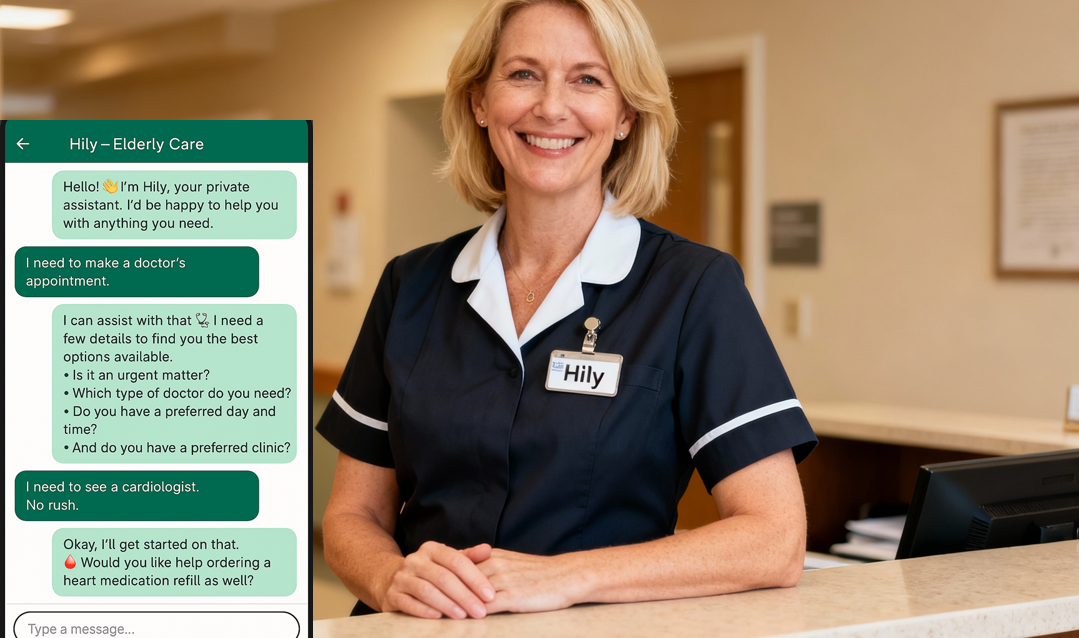
A WhatsApp AI chatbot is an AI agent connected to your business’s WhatsApp number that holds real conversations with customers, not a menu of numbered options, but free-form chat. A modern one can:
- Answer questions instantly, 24/7, from your business knowledge: services, prices, opening hours, policies, availability
- Qualify leads: ask what the customer needs, how urgent it is, where they’re located, and package that neatly for your team
- Book and reschedule appointments directly in your calendar, and send price lists, booking links and follow-ups
- Handle many conversations at once: no queue at 8pm on a Sunday
- Hand off to a human when a conversation is sensitive, complex, or simply better handled by your staff
The last point separates a serious deployment from a gimmick. The goal isn’t to automate every conversation: it’s to absorb the repetitive majority instantly and route the rest to people, with context.
WhatsApp Business App vs WhatsApp Business API
This is the first real decision, and it’s mostly made for you by your size:
| Business App (free) | Business API / WABA | |
|---|---|---|
| Best for | Solo operators | Any business with a team or real volume |
| Users/devices | 1 number, ~4 linked devices | Multiple agents, systems and integrations |
| Automation | Greetings + away messages only | Full AI chatbots, CRM and calendar integrations |
| Green verified badge | No | Eligible |
| Cost | Free | Per-conversation fees (modest at SMB volume) |
The Business App’s “auto-replies” are static text: they buy you nothing but a delay. Real conversational automation runs on the official WhatsApp Business API (WABA), on your own number, with approval from Meta. Official matters: unofficial gateways that piggyback on the consumer app get numbers banned, and your WhatsApp number is not an asset you want to gamble with.
The rules: 24-hour window, templates, and opt-in
WhatsApp is strict about spam, which is exactly why customers still open it. Three rules shape every deployment:
- The 24-hour window. When a customer messages you, you can reply freely for 24 hours. After that, you can only re-open the conversation with a pre-approved template message (e.g., an appointment reminder).
- Templates are reviewed. Outbound messages outside the window (reminders, confirmations, follow-ups) use templates approved by Meta. Fine for legitimate use, fatal for spam.
- Opt-in. You message people who contacted you or agreed to hear from you. Cold-blasting purchased lists gets numbers banned quickly.
Practical upshot: a WhatsApp AI chatbot shines at inbound conversations and transactional outbound (confirmations, reminders, follow-ups), which happens to be exactly where small businesses lose the most revenue.
What businesses actually use it for
Clinics (dental, aesthetic, medical): treatment questions, price ranges, before/after policies, appointment booking and no-show-killing reminders. (How clinics use Joov →)
Real estate: instant response to listing inquiries, buyer/seller qualification, viewing bookings, in a market where the first agent to respond usually wins the client. (Real estate setup →)
Auto repair and dealerships: repair intake with photos, service bookings, availability checks, test-drive scheduling. (Auto repair →)
Home services: urgent jobs (“my boiler died”) triaged and routed at any hour, service-area checks, dispatch handoff. (Home services →)
The pattern is identical everywhere: high-intent inquiries arrive at all hours on a channel customers already use, and speed of response decides who gets the business.
DIY platform or done-for-you?
Two honest paths:
DIY chatbot builders. Dozens of platforms let you build WhatsApp flows yourself. They’re affordable, but you own the work: WABA setup and approval, knowledge-base structuring, conversation design, integrations, testing, and ongoing tuning when your prices or policies change. Realistic if you have a technical person with spare time; most small businesses don’t.
Done-for-you. A provider takes your existing materials (website, price list, FAQs, booking rules), structures the knowledge, designs the conversations and handoff paths, gets the WABA approved on your number, connects your calendar, and maintains it. You review and approve; the rest happens for you. That’s the model we built Joov around (how our launch process works).
What does it cost?
For a small business in 2026, a managed WhatsApp AI chatbot typically lands in the low-to-mid hundreds of dollars per month, often with a one-time setup fee. Meta’s per-conversation fees come on top (usually small at SMB volume). DIY platforms charge less in cash and more in your hours. The honest math is to weigh either cost against one recovered customer per month: for most service businesses, that single recovered lead covers it. Full breakdown: How Much Does an AI Receptionist Cost in 2026?
How to launch in days (not months)
- Gather your knowledge. Website, FAQs, services and prices, booking rules, tone preferences. You already have all of it.
- Set the boundaries. What the bot answers, what it never answers, when it hands to a human, and where leads land (email, sheet, CRM).
- Go live and tune. Launch, read the first weeks of conversations, tighten answers. The first month of real conversations improves the agent more than any planning meeting.
One more thing worth doing regardless of vendor: put your WhatsApp number on your website, your Google Business Profile, and your ads. The channel only works if customers can find the door.
FAQ
Is a WhatsApp chatbot allowed by WhatsApp?
Yes, on the official WhatsApp Business API, with Meta’s approval, on your own number. What’s not allowed (and gets numbers banned) is automation through unofficial gateways or spamming people who never contacted you.
Will customers know they’re talking to a bot, and does it put them off?
Best practice is to be transparent, answer instantly and well, and hand off smoothly when needed. Customers care far more about getting an accurate answer in ten seconds than about who typed it.
Can it really book appointments by itself?
Yes. Connected to your calendar, a well-built agent checks availability, books, reschedules, and sends reminders. That loop (instant answer → booked slot → reminder) is where most of the ROI lives.
Do I need a new phone number?
No: the Business API runs on your existing business number after verification.
Joov.AI builds done-for-you WhatsApp AI chatbots: official API on your own number, trained on your business, with smart human handoff. Live in days. Book a free demo.